Top 5 WhatsApp Tracker Apps 2026
WhatsApp has become an integral part of most of our everyday lives. For example, it is used by most of us for sending photos to our friends and for maintaining family communication. WhatsApp is also increasingly used to manage our day-to-day work activities. Because it is so ubiquitous, the proliferation of WhatsApp trackers has become the norm. There are those among us who use WhatsApp trackers to keep an eye on how our kids are using WhatsApp and how much time they are spending on messaging applications in general.
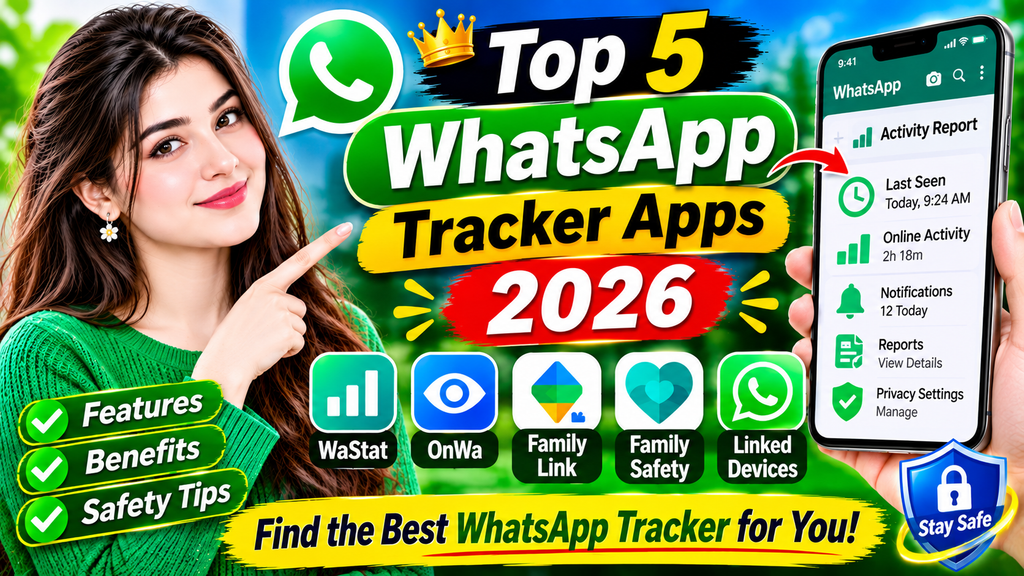
There is an explosion of online ads that claim to have created the one WhatsApp tracker to rule them all. If you are one of the millions of users who are searching for WhatsApp trackers, you probably have an idea of what we mean. Let’s talk about 5 of these trackers.
What Is a WhatsApp Tracker App?
A tracker app is a catch-all term for most messaging activity apps. Trackers focus on delivering analytics of WhatsApp usage, providing real-time online-status notifications and a number of device management solutions. These messaging management tools come in many varieties. Some apps provide trackers for public activity, while others help families manage screen time for children, and so on.
The main takeaway here is that most trackers rely on legitimate messaging APIs and WhatsApp privacy features to function. So, avoid using any apps that claim to give you “insider” messaging and privacy access, including giving you read/write messaging capabilities.
Top 5 WhatsApp Tracker Apps 2026
1. WaStat – WhatsApp Activity Tracker
If your priority is online activity stats, look no further than WaStat. Like most tracker apps, WaStat delivers easily digestible messaging stats in a more user-friendly interface. Status tracking for many messaging apps can get repetitive, especially for busy individuals, and this tracker delivers activity stats in a clearer, more organized manner.
There are many apps on Google Play that offer similar features. Activity timelines, notifications and statistical reports can all be useful if the features allow. WhatsApp tracking apps provide a single location to check activity without having to repeatedly open WhatsApp.
Read through the app’s description and check permissions and subscription requirements on Google Play. Keep in mind that WhatsApp may limit the extent of activity tracking based on privacy and technical settings.
2. OnWa Last Seen Chat Tracker
OnWa also attempts to address people looking for a way to track WhatsApp last seen statuses. This app’s listing on Google Play states that it tracks online/offline statuses and includes a daily report.
One interesting feature in OnWa is that reports on an individual’s activities can be in the form of graphs and reports, rather than a single status message.
The developer advertises a free trial, and other features as part of the premium subscription. Although not every result is available for all contacts, I recommend checking the listing to ensure there are no issues.
3. Google Family Link
There are more important things to monitor than whether someone has come online on WhatsApp. Sometimes the issue is more how long someone is spending on their phone.
That’s where Google Family Link comes in. The app has features that parents can use to control a child’s screen time.
And parents can do it without confiscating their children’s phones.
With it, users are able to review activity in supported apps, set screen-time limits, block apps, and create schedules. An example of this would be parents setting rules regarding phone use during school or before bedtime.
Unlike other programs of this kind, Family Link does not log WhatsApp and is unable to see messages or calls. It’s better for helping families develop more healthy relationships with technology.
4. Microsoft Family Safety
Another option to manage family digital technology on different devices, Microsoft Family Safety covers the basics of digital family safety and not only notifications of WhatsApp messages online.
With this, you can set limits on screen time as well as draw some boundaries for family technology use, especially if children are messaging, gaming, and surfing the internet for long periods of time.
If you are thinking of getting Microsoft Family Safety, be sure to check the supported features for your family’s devices, as well as if you have a Microsoft account. Microsoft Family Safety is more for a family technology manager and not really for managing only WhatsApp.
5. WhatsApp Linked Devices
The last WhatsApp specific digital monitoring option, WhatsApp Linked Devices, is a legitimate WhatsApp feature. Using this feature you can link other WhatsApp enabled devices to your existing WhatsApp account.
An example of this is connecting WhatsApp to your laptop if you use it for work and would rather not check your WhatsApp on your phone every time you receive a new message.

WhatsApp permits up to four WhatsApp linked devices, and in addition you can review the devices connected to your WhatsApp account and terminate sessions that are not yours.
Unlike unofficial tracking services, this is an official WhatsApp feature. Just make sure you only connect devices you trust.
WhatsApp Tracker Apps Comparison
| App | Main Purpose | Suitable For |
|---|---|---|
| WaStat | Activity statistics | Activity information |
| OnWa | Online-status notifications | Last-seen statistics |
| Google Family Link | Parental controls | Parents and families |
| Microsoft Family Safety | Digital safety | Family device management |
| WhatsApp Linked Devices | Account access | Personal WhatsApp use |
Before Installing a Tracker
Looking good on the outside doesn’t guarantee quality on the inside. Before installing an application, be sure to spend some time reviewing its developer, recent reviews, and privacy policy, as well as the app’s permissions.
Do not give tracking applications permissions to access parts of your device they shouldn’t, especially when they ask for sensitive data. Do not give any tracking applications the password, WhatsApp verification code, or login details to your device.
The most convenient tracking apps are often subscription based. Read the payment conditions carefully to avoid getting charged unexpectedly.
Above all, make sure to respect others’ privacy.
Conclusion
Finding a good tracker for WhatsApp in 2026 relies entirely on what you really need. For tracking statistics of someone’s online activity, WaStat and OnWa can do this. Microsoft Family Safety and Google Family Link are designed to help users manage their digital wellness. If you just need to access your WhatsApp account on a second device, WhatsApp Linked Devices is the best solution for you.
Do not be deceived by the number of features an application provides. Focus on the app’s privacy and security measures and whether it is safe for you to use in your everyday life. Choose an app that simplifies your life and provides you with the features you need.